
Step by Step Project Launch for Automated Onboarding
Manual onboarding is one of the top pain points for British small business owners, with some spending over 60 percent of their week on repetitive client setup tasks. Shifting to automated systems matters because every minute saved means more focus on growth and service rather than paperwork. This guide unpacks how London-based service businesses can define project goals, choose the right automation tools, and set up workflows that cut down manual effort while improving client satisfaction.
Table of Contents
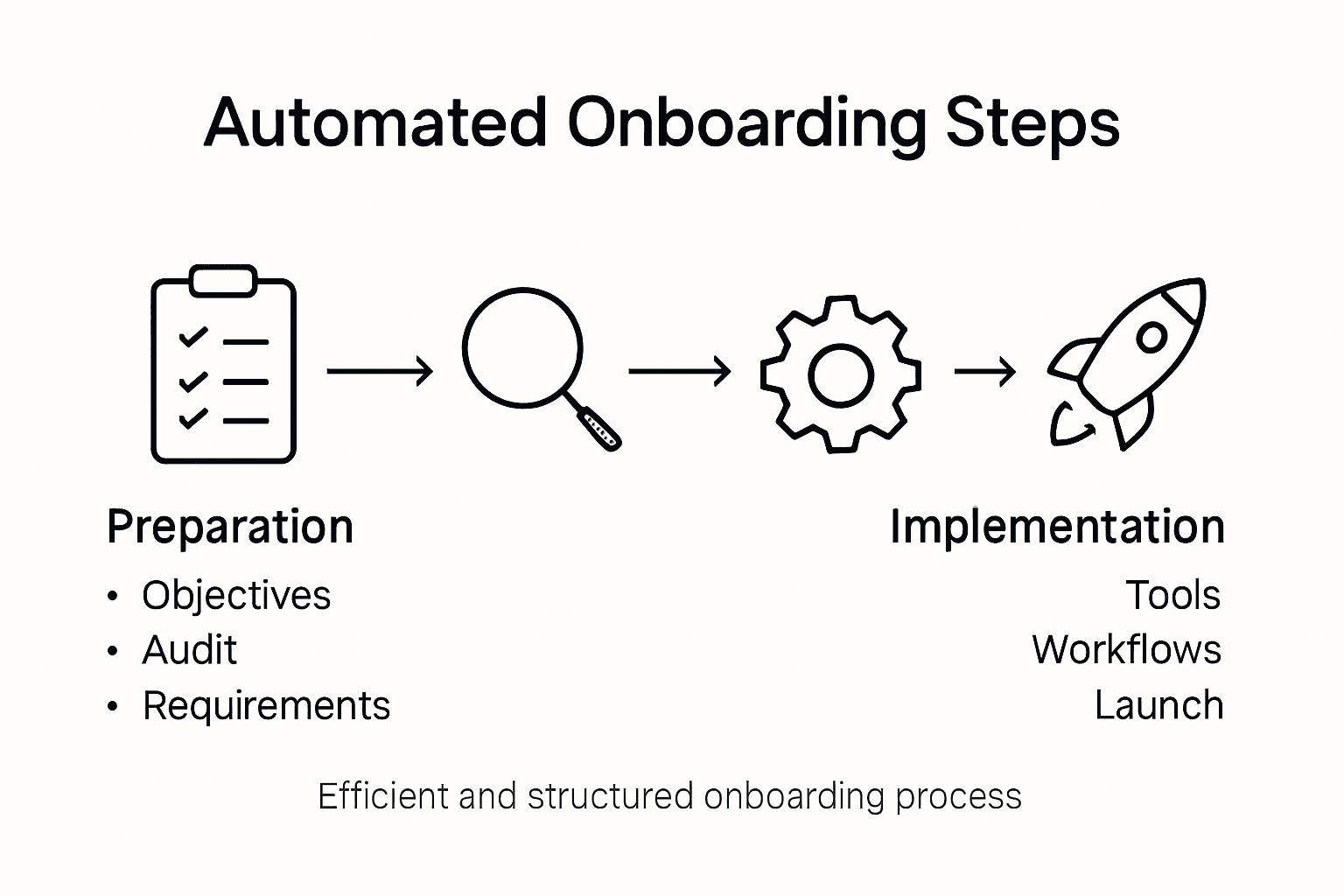
- Step 1: Define Project Objectives And Requirements
- Step 2: Select Automation Tools And Platforms
- Step 3: Configure Onboarding Workflows And Ai Reception
- Step 4: Test And Refine The Automated System
- Step 5: Launch And Monitor The Onboarding Process
Quick Summary
| Key Message | Explanation |
|---|---|
| 1. Define clear objectives | Establish specific goals that address your business needs for the automated onboarding system. |
| 2. Choose the right tools | Select automation platforms that meet your unique requirements and offer flexibility and scalability. |
| 3. Design effective workflows | Map client interactions to create automated workflows that enhance user experience and minimise manual tasks. |
| 4. Test thoroughly before launch | Conduct extensive testing on your system to identify issues and improve performance before full implementation. |
| 5. Monitor for continuous improvement | Establish tracking mechanisms to measure performance, gather feedback, and refine processes regularly. |
Step 1: Define project objectives and requirements
Launching an automated onboarding system starts with crystal clear project objectives. Your goal is to map out precisely what you want this system to achieve for your business and establish concrete requirements that will guide your implementation strategy.
Begin by conducting a comprehensive internal audit of your current client onboarding processes. Identify pain points where manual work consumes excessive time or introduces potential errors. Understanding these challenges will help you design effective onboarding objectives that directly address your specific business needs. Consider factors such as client communication efficiency, document management, information collection, and overall experience smoothness.
Next, outline specific measurable goals for your automated system. These might include reducing onboarding time by 50%, standardising client information collection, eliminating repetitive administrative tasks, or improving client satisfaction ratings. Each objective should connect directly to a tangible business outcome that provides clear value to your organisation.
Here’s a summary of how automation features impact onboarding objectives:
| Automation Feature | Description | Business Impact |
|---|---|---|
| Document Management | Centralises client documents automatically | Minimises errors and saves time |
| Data Collection | Gathers client info via digital forms | Ensures accuracy and consistency |
| Communication Tracking | Monitors all client interactions | Increases transparency and accountability |
| Automated Welcome Sequences | Sends tailored greetings and info | Boosts client satisfaction and engagement |
Expert Recommendation: Create a detailed requirements document that serves as a blueprint for your automation project, capturing every nuanced expectation and desired functionality.
Step 2: Select automation tools and platforms
Choosing the right automation tools and platforms is a critical step in creating an efficient onboarding system. Your selection will determine how smoothly your processes integrate and how effectively you can streamline client interactions.

Start by mapping your specific business requirements against potential technology solutions. Evaluating digital transformation platforms requires a strategic approach that considers your unique workflow needs. Look for tools that offer flexibility, robust integration capabilities, and scalability. Consider key features such as automated document generation, client data collection, communication tracking, and reporting functionality.
When comparing platforms, prioritise solutions that provide intuitive user interfaces for both your team and clients. Assess each platform’s ability to centralise information, automate repetitive tasks, and reduce manual administrative work. Pay close attention to data security features, compliance capabilities, and potential integration with your existing software ecosystem.
Expert Recommendation: Request free trials and conduct thorough testing with your actual business workflows before making a final platform selection.
The following compares popular onboarding automation platforms by core evaluation criteria:
| Platform Type | Integration Ability | User Experience | Scalability |
|---|---|---|---|
| All-in-One Suites | Extensive, multi-system | High, central dashboard | Grows with business needs |
| Niche AI Tools | Moderate, specific apps | Customisable, focused | Limited to specific tasks |
| Document Automation | Broad document ecosystem | Simple interfaces | Suited to high volumes |
Step 3: Configure onboarding workflows and AI reception
Configuring your automated onboarding workflows represents the critical moment where your strategic planning transforms into operational reality. This stage involves designing intelligent systems that will seamlessly guide clients through each interaction with minimal manual intervention.
Begin by mapping out each client touchpoint and identifying opportunities for automation. Implementing AI receptionist technologies allows you to create intelligent workflows that respond dynamically to client needs. Focus on designing clear communication paths that capture essential information while providing a personalised experience. Your workflow should include automated welcome sequences, document request mechanisms, information verification protocols, and contextual response systems that feel natural and responsive.
Pay particular attention to creating flexible workflows that can adapt to different client scenarios. Integrate intelligent routing systems that can direct client queries to appropriate team members when automated responses cannot fully address complex requirements. Ensure your AI reception system includes robust data capture mechanisms that populate client profiles automatically while maintaining strict privacy and consent protocols.
Expert Recommendation: Test your automated workflows extensively with diverse user scenarios to identify and refine potential interaction gaps before full implementation.
Step 4: Test and refine the automated system
Testing and refining your automated onboarding system represents the crucial validation phase where theoretical design meets practical implementation. Your goal is to identify potential gaps, smooth out user experience friction points, and ensure the system performs exactly as intended.
Start by developing a comprehensive testing strategy that covers multiple scenarios. Implementing AI technologies requires meticulous validation across different user interactions and edge cases. Create synthetic client profiles representing diverse scenarios including complex enquiries, unusual data inputs, and potential system stress points. Run multiple simulation rounds to assess how your automated workflows handle unexpected interactions, verifying that intelligent routing and response mechanisms function seamlessly.
During your testing phase, collect granular performance metrics that go beyond surface level measurements. Track response times, information accuracy, user satisfaction ratings, and system flexibility. Pay special attention to moments where automated systems transition to human support and ensure these handover processes feel natural and efficient. Document every observed interaction anomaly, no matter how minor, and use these insights to incrementally improve your system’s intelligence and responsiveness.
Expert Recommendation: Conduct staged rollout testing with a small, controlled group of real clients before full system deployment to gather authentic performance feedback.
Step 5: Launch and monitor the onboarding process
Launching your automated onboarding system marks the transition from preparation to real world implementation. This critical phase requires careful attention and strategic monitoring to ensure smooth operational performance and continuous improvement.
Monitoring onboarding performance metrics involves establishing a comprehensive tracking framework that captures key indicators of system effectiveness. Set up real time dashboards to track task completion rates, response times, user engagement levels, and system efficiency. Pay close attention to interaction quality metrics that reveal how smoothly your automated workflows handle different client scenarios. Implement automated alerts for any anomalies or performance deviations that might indicate potential system refinements are needed.
Develop a structured feedback mechanism that allows both clients and internal team members to provide insights about their onboarding experience. Regularly analyse these qualitative and quantitative data points to identify patterns and opportunities for incremental system enhancement. Focus on understanding not just technical performance but also the emotional and experiential aspects of your automated onboarding process. Create a continuous improvement cycle where every interaction provides valuable intelligence for future system optimisation.
Expert Recommendation: Schedule monthly comprehensive system reviews to systematically analyse performance data and implement strategic refinements.
Transform Your Client Onboarding with Intelligent Automation
The article “Step by Step Project Launch for Automated Onboarding” highlights the challenge of manual client onboarding processes that drain time and invite errors. If you aim to reduce onboarding time, standardise data collection, and create seamless workflows using AI receptionists, your goals align perfectly with the solutions Fame Razak provides. We understand how crucial it is to design flexible, scalable automation systems that boost client satisfaction while freeing your team from repetitive tasks.
Take full control of your onboarding experience by partnering with an expert who specialises in turning complex implementation steps into streamlined, practical outcomes. With Fame Razak’s fractional CTO expertise, you can accelerate your project launch from concept to live operation without guesswork. Ready to eliminate bottlenecks and enhance every client touchpoint? Explore how our approach to AI and workflow orchestration can empower your business at Fame Razak. Discover solutions for smarter onboarding and workflow automation at Fame Razak and start transforming your client experience today.
Frequently Asked Questions
What are the key objectives to define for an automated onboarding system?
To define the key objectives for an automated onboarding system, start by identifying specific goals, such as reducing onboarding time or improving client satisfaction ratings. Conduct an internal audit of current processes to pinpoint areas needing improvement, ensuring your objectives align directly with your business’s outcomes.
How do I select the right tools and platforms for automation?
Select the right automation tools by mapping your specific business requirements against potential platforms. Prioritise tools that offer integration capabilities, user-friendly interfaces, and essential features like document management and communication tracking to streamline your onboarding process.
What should I consider when configuring onboarding workflows?
When configuring onboarding workflows, focus on identifying each client touchpoint and opportunities for automation. Design flexible workflows that can adapt to different client scenarios and include mechanisms for capturing essential information while ensuring data privacy and consent.
What testing strategies should I employ for the automated onboarding system?
Develop a comprehensive testing strategy that includes multiple scenarios and synthetic client profiles to simulate diverse situations. Test how your automated workflows handle unexpected interactions and document any discrepancies to refine the system before full deployment.
How can I monitor the performance of my automated onboarding process?
Monitor the performance of your automated onboarding process by establishing a tracking framework for key metrics, such as task completion rates and user engagement levels. Set up real-time dashboards and analyse both qualitative and quantitative feedback to continually improve your system’s effectiveness.
Recommended
- How to Scope Tech Projects for Agency Automation Success – Fame Razak
- WordPress Website Launch Checklist for Success – Fame Razak
- 7 Steps to Master Digitization, Digitalization and Digital Transformation – Fame Razak
- Digital Transformation Step by Step: A Practical Guide – Fame Razak
- Employee Retention Solutions | Reduce Turnover | OpenElevator